Customize Your Plan
Public page + works for logged-in users. Choose type, operating system, region, and plan size. You can resize anytime.
Looking for residential or static SOCKS5 proxies without an RDP?
Work on a powerful remote desktop
Use a stable Windows RDP for tools, dashboards, ads, browser sessions and daily online work.
View RDP Plans📘 Guide What is an RDP? How to connect Tap to open ▾
What is an RDP?
An RDP (Remote Desktop) is a full Windows computer in the cloud that you can log into from your phone or laptop. It works like a separate PC — with its own IP/location, storage, and resources — accessible anytime.
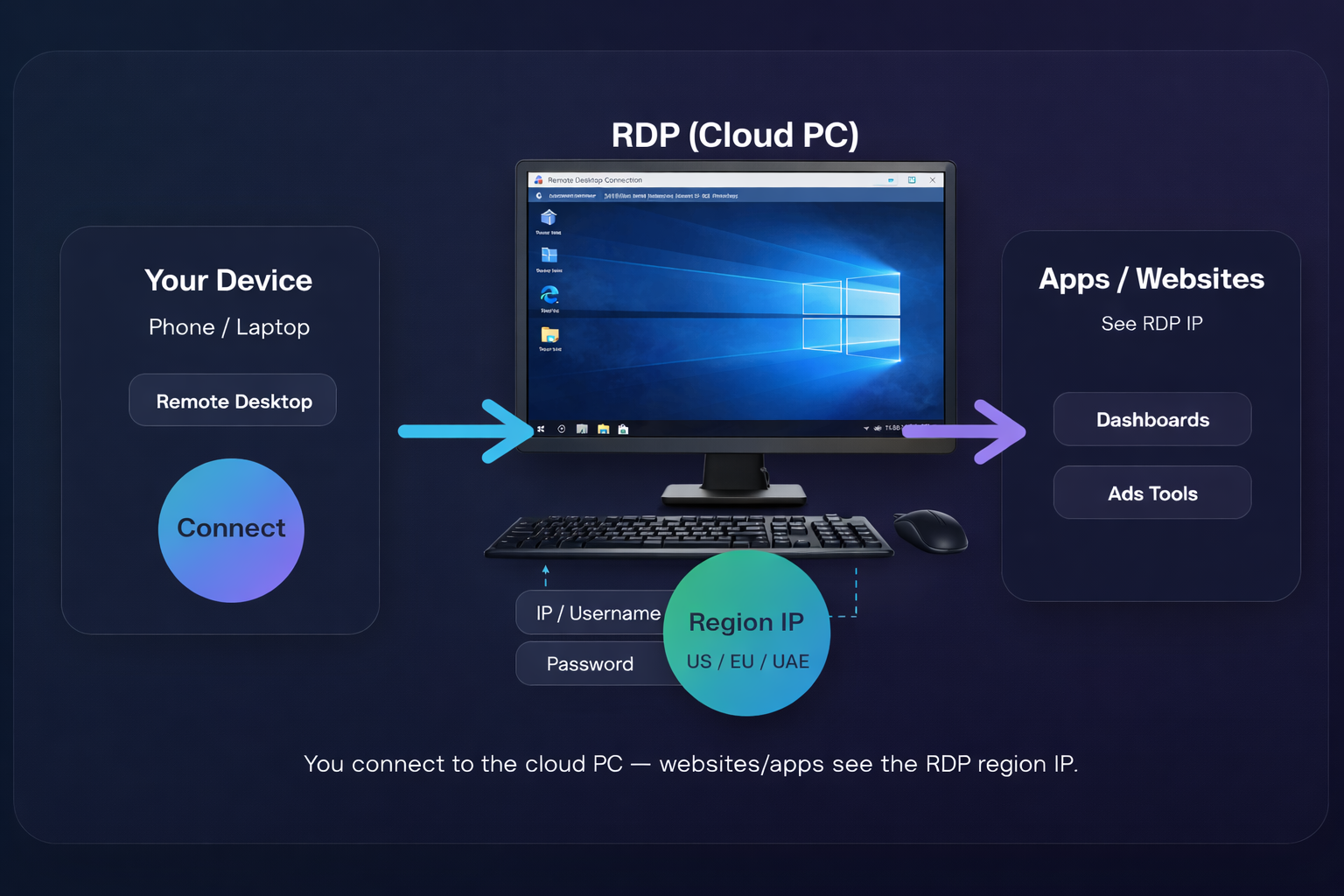
Quick setup (Windows / Phone)
Which type should I choose: Regular, High Frequency, or GPU?
- Regular CPU: best for most uses (ads, dashboards, normal work).
- High Frequency: faster single-core speed (snappier apps).
- GPU: AI/rendering/heavy graphics workloads.
Can I connect from iPhone/Android?
Type
Choose a server type. Regular is best for most uses.
Plan
Pick the resources you need. Each type has different plans.
Region
Choose your server location.
Operating System
Windows-only service for RDP. This is selected automatically.
RDP FAQs (Common questions)
What is RDP?
RDP (Remote Desktop Protocol) lets you connect to a Windows computer/server online and use it like it’s your own PC — for work, tools, and business tasks.
What can I use an RDP for?
You can use RDP for remote work, running Windows-only tools, managing accounts, accessing dashboards, uploading content, and stable online tasks that need a consistent environment.
Is RDP the same as VPN?
No. A VPN changes your internet route. An RDP is a full remote Windows system you log into. Many people use RDP + SOCKS5 together depending on their workflow.
Will RDP work on my phone?
Yes. You can connect using Microsoft Remote Desktop on Android/iPhone, or from any laptop/PC.
Do I need high internet speed?
No — you mainly need stable internet. Even 5–10 Mbps can work smoothly, but stability matters more than speed.
Do you deliver login details after payment?
Yes. After successful payment, your RDP access details are delivered and you can also view them inside your account.
Having issues creating, verifying, or linking your PayPal or Payoneer account? We help creators set it up the right way.